Pulling It All Together… Constructionism and The Maker Movement

Over the past 13 weeks, in EDUC362 we have explored and learnt about an abundance of emerging technologies.  We have investigated their uses and discovered how these devices can be powerful platforms in inspiring students’ creativity.  After a long semester, the topic of constructionism perfectly sums up the work we have delved into throughout the unit.  It emphasises design, collaboration, open ended-tasks, authenticity and most importantly, creativity. 

So, what is Constructionism?

Constructionism is an educational theory devised by Seymour Papert that describes learning as an instantaneous result of active participation and knowledge construction.  Papert suggests that students learn more when they are actively involved rather than gathering information via teacher directed discussions (Martinez & Stager, 2014). Constructionism emphasises engagement with phenomena and real-world problems and encourages students to develop and represent their understanding through physical design (Bevan, 2017).  Therefore, technologies like virtual and augmented reality, 3D printing and game design are all excellent domains to demonstrate understanding and knowledge construction.  However, constructionism doesn’t have to be isolated to just digital technology, constructionism can be implemented in all areas of the classroom online and offline. 

Likewise, the Maker Movement emphasises open exploration through hands-on tasks where students can explore their own creativity and imagination freely (Bevan, 2017).  As a result of these theories,  schools are beginning to introduce design and technology spaces known as a ‘Maker Space’.  These spaces are creatively furnished and thoughtfully equipped with resources and digital tools, to foster collaboration and creativity (Oliver, 2016).

So what might you find in a Maker Space?

Anything!

Cardboard boxes, 3D printers, building blocks, Microbits, robots, iPads, laptops… the possibilities are endless!

Some resources we explored in class, that would be great for a Maker Space include:

Makey Makey

  • To learn about the transference of energy.

Turing Tumble

  • To learn about computer science.

Little Bits

  • To learn about circuits.

Additionally, a collection of problem-solving tasks could be beneficial!  For example, in class we were given a collection of clues, a handful of nails and a block…   Somehow, we were expected to balance 6 nails on just one upright nail… it was extremely difficult!  But we got there!

Ultimately, a challenge like this would be a huge hit for students of any age to undertake as it encourages them to think outside the box and work as a team!

References

Bevan, B. (2017). The Promise and the Promises of Making in Science Education. Studies in Science Education, 53(1), 75-103

Martinez, S., & Stager, G. (2014). The maker movement: A learning revolution. International Society for Technology in Education. Available at: https://www.iste.org/explore/articleDetail?articleid=106

Oliver, K. M. (2016). Professional development considerations for makerspace leaders, part one: Addressing “what?” and “why?”. TechTrends60(2), 160-166.

Games Based Education

The advancement of digital games has been significant over the past 30 years with the inclusion of features like three-dimensional graphics, multi-player options, high-speed telecommunication, immersive environments and so much more (Kebritchi, 2010). With the ever-evolving progression of digital games this phenomenon challenges the basic perception of learning environments and encourages new methods of teaching (Tan, Goh, Ang & Huan, 2013).

Over the years, many influential theorists, including Lev Vygotsky have believed that young people learn invaluable lessons through play (Schmitt, Hurwitz, Sheridan Duel & Nichols Linebarger, 2018). As children participate in play they acquire useful skills and attitudes that benefit their intellectual, social and emotional development (De Grove, Bourgonjon & Van Looy, 2012). Digital game-based learning provides an engaging and challenging environment where students can explore and acquire diverse content knowledge (Chen & Hwang, 2014). These educational games are effective classroom tools to combat difficult concepts as they create intrinsic motivation, provide action over explanation and offer an interactive decision-making platform. (Kebritchi, 2010). Unquestionably, computer games are an integral part of the ‘net gens’ lives and by including gaming within education, teachers can connect with their students through a familiar and motivating learning environment (Robertson, 2012).

Teachers play a vital role in determining how they will implement ICT (De Grove, Bourgonjon & Van Looy, 2012). Despite the advantages already discussed, teachers continue to show significant resistance towards integrating digital gaming into the classroom (Kebritchi, 2010). A popular belief held by teachers is that gaming will impede on teaching and learning rather than facilitate it and therefore they are choosing to overlook its benefits (De Grove, Bourgonjon & Van Looy, 2012). In order to gain teacher confidence, there is significant demand for academics to conduct research and facilitate games that are derived from instructional theories (Chen & Hwang, 2014). By allowing established learning theories to guide the design of digital games the advantages of gaming in education will surge (Kebritchi & Hirumi, 2008).

Digital game-based education has proved to enhance learning in a number of domains
including math, science, languages and more (Chen & Hwang, 2014). One fantastic platform for games-based learning is Scratch. This site encourages students to be creative by providing tools for students to design their own unique worlds, stories, characters and games. One particular feature that makes this program appealing to teachers is that it provides detailed tutorials for students to gather a thorough understanding of the features and resources available within Scratch. This equips students with the necessary skills and knowledge to design and create their own games independently.

References

Kebritchi, M. (2010). Factors affecting teachers’ adoption of educational computer games: A case study. British Journal Of Educational Technology, 41(2), 256-270.

Tan, J., Goh, D., Ang, R., & Huan, V. (2013). Participatory evaluation of an educational game for social skills acquisition. Computers & Education, 64, 70-80.

Schmitt, K., Hurwitz, L., Duel, L., & Nichols Linebarger, D. (2018). Learning through play: The impact of web-based games on early literacy development. Computers In Human Behavior, 81, 378-389.

De Grove, F., Bourgonjon, J., & Van Looy, J. (2012). Digital games in the classroom? A contextual approach to teachers’ adoption intention of digital games in formal education. Computers In Human Behavior, 28(6), 2023-2033.

Chen, N., & Hwang, G. (2014). Transforming the classrooms: Innovative digital game-based learning designs and applications. Educational Technology Research and Development, 62(2), 125-128.

Virtual Reality, The Way of the Future?

Virtual reality (VR) is a tool that allows students to indulge in a new world with a 360-degree view of their surroundings (Southgate, 2018).  These VR platforms encourage students to explore worlds that are either imaginative or realistic and are available to support the teaching and learning of students, however, they are yet to be welcomed into the realm of education (Kavanagh, Luxton-Reilly, Wuensche & Plimmer, 2017).  Despite VR’s limited integration, a number of studies have been conducted to investigate its use within the classroom.  Ultimately, these investigations have highlighted educational benefits including student enjoyment, increased time-on-task, motivation, deeper learning and long-term retention (Kavanagh, Luxton-Reilly, Wuensche & Plimmer, 2017). 

To access a virtual world student must use VR headsets.  These headsets come in a range of styles with different affordances attached.  However, they both effectively do the same thing. 

An inexpensive option is the Google Cardboard (Jensen & Konradsen, 2018).

And a more expensive option is the Oculus (Jensen & Konradsen, 2018).

With the use of different headsets comes different levels of accessibility to VR apps.  Within various applications students can take on different perspectives when exploring the VR worlds.  This allows students to explore as themselves and impersonate characters within the unique world (Southgate, 2018).

The tool can be used to expose students to the wonders of life, by exploring virtual worlds unique to the reality of the 21st century.  From here students can use these experiences to consider and create their own ideas applying creative concepts exposed to them in the virtual worlds.  When students because experienced and familiar with VR they can create their own world.  Here students are given the ultimate opportunity to be as creative and unique as they like and to design a world that reflects their ideas and passions.  A great task using virtual reality would be for students to consider what a specific location, house or landmark might look like in 100 years and ask them to design this location through a virtual world.

Other avenues may include a history lesson where students immerse themselves in moments from the past to share an intimate understanding of what it was like to live in that time.  Or an English lesson where students explore the perspectives of different characters and write about their first-hand experience as the characters.

References

Jensen, L., & Konradsen, F. (2018). A review of the use of virtual reality head-mounted displays in education and training. Education and Information Technologies,23(4), 1515-1529.

Kavanagh, S, Luxton-Reilly, A, Wuensche, B & Plimmer, B. (2017). A Systematic Review of Virtual Reality in Education. Themes in Science and Technology Education, 10(2), 85-119.

Southgate, E. (2018). Immersive virtual reality, children and school education: A literature review for teachers. DICE Report Series Number 6. Newcastle: DICE Research. Retrieved from http://dice.newcastle.edu.au/DRS_6_2018.pdf

An Augmented View of Reality

As a pre-service teacher I considered the use of augmented reality (AR) to be a futuristic application for education.  However, after spending sometime exploring the various resources already available in schools I was left surprised and excited to see what the future of AR education will look like. 

AR is described by Azuma (1997, as cited in Bower, Howe, McCredie, Robinson & Grover, 2014, p.1) as systems that allow both ‘real and virtual objects to co-exist in the same space and be interactive in real time.’  In recent years, AR has gradually become more accepted by society and thus has introduced new possibilities for teaching and learning in schools (Wu, Lee, Chang & Liang, 2013).  Ultimately the use of AR in our classrooms will change the way students receive and comprehend information and lead students to engage through a creative and authentic exploration of the real world (Dede, 2009).  A number of AR resources have been developed to assist in the development of science and mathematics education, this is particularly beneficial as these subject areas cover a number of abstract concepts that can be difficult to understand and visualise (Wu, Lee, Chang & Liang, 2013). For example, the app ‘AR Flashcards Space’ allows students to see planets up close through their devices (phones, iPads etc) and use the app to learn about key facts and information relative to space.  Additionally, AR systems have been designed to support students with diverse needs, by creating resources that help students overcome learning barriers and improve speaking and listening skills. (Liu, 2009).


Interestingly, AR has been classified into three main categories deciphering what activities will be conducted during the experience.  These categories include;

1.  Emphasising ‘roles’

Here students engage in role play, simulations and collaborate with each other through creative avenues. 

2.  Emphasising ‘locations’

Students interact with the physical environment and are given opportunities to conduct investigations into environmental issues.

3. Emphasising ‘tasks’

Students design learning tasks in AR environments involving challenges, problem-based learning and creativity.

(Wu, Lee, Chang & Liang, 2013)

The potential of AR in education is exciting and allows for various creative avenues of learning to be adopted.  It has the ability to engage, motivate and interest learners in authentic experiences and encourages students to think creatively (Bower, Howe, McCredie, Robinson & Grover, 2014). However, like many other technological resources discussed throughout this blog it requires significant teacher training and knowledge in order for it to be implemented successfully (Wasko, 2013).

References

Bower, M., Howe, C., McCredie, N., Robinson, A., & Grover, D. (2014). Augmented Reality in Education–Cases, Places and Potentials. Educational Media International, 51(1), 1-15.

Dede, C. (2009). Immersive Interfaces for Engagement and Learning. Science, 323(5910), 66-69.

Liu, T.-Y. (2009). A Context-Aware Ubiquitous Learning Environment for Language Listening and Speaking. Journal of Computer Assisted Learning, 25(6), 515-527.

Wasko, C. (2013). What Teachers Need to Know about Augmented Reality Enhanced Learning Environments. TechTrends: Linking Research and Practice to Improve Learning, 57(4), 17-21.

Wu, H., Lee, S., Chang, H., & Liang, J. (2013). Current status, opportunities and challenges of augmented reality in education. Computers & Education62, 41-49.

Robots… Do They Have A Place In Education?

You would have heard people say “Robots are taking over the world!” I have to say I was particularly sceptical when i considered the relevance and applicability of robots in education. Today, robots are undertaking an abundance of tasks that were originally performed by humans.  These tasks include car manufacturing, driving cars and even doing the vacuuming! How convenient! BUT… do robots have a place in education? 

Research suggests that robotic tools support the development of creativity and 21st century skills (Altin & Pedaste, 2013) and engage students’ curiosity and interest through hands-on tasks. (Alimisis, 2013). 

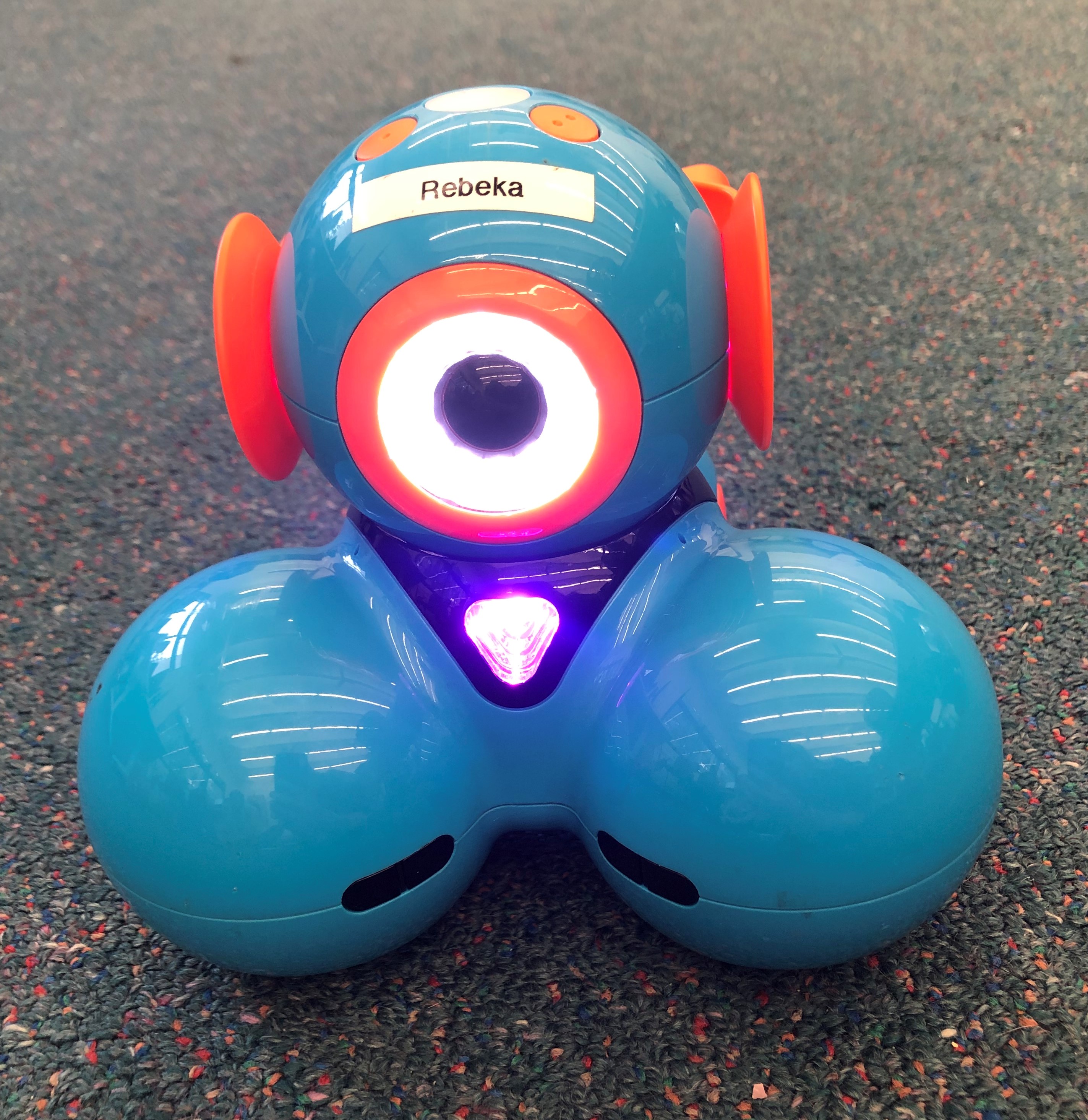
Meet Dash and Dot

Dash and Dot are two robotic friends designed for young learners beginning their robotics journey. (Sansing, 2015).  The robots and their partnering apps, Blockly and Wonder provide a user-friendly program that assists students to explore coding, planning and movement.  The robot is designed to encourage hands-on learning and to make creative problem-solving experiences life-like and practical.  (“Wonder Workshop”, 2019).  There are many additional resources available with the up-take of Dash and Dot, one resource I would highly recommend are the challenge cards.  These cards provide students with specific tasks to complete through games that teach them a number of coding skills.  As students progress through the cards the difficulty level increases.

Does robotics fit within the curriculum?

Yes, robotics is a great resource for science and technology learning as students learn to program, code and become familiar with technological applications. (Alimisis, 2013).  However, robotics is reasonably limited in its practicality and diversity in other KLA’s.  I do believe robotics can be used within cross-curricula areas however the concepts need to be stretched.  For instance, in an english lesson, the teacher could ask students to write a narrative with Dash impersonating the main character.  Students can organise and code the robot to depict the journey described in the narrative, this could involve moving left, right, forwards and backwards, flashing lights and even narrating the story by speaking.  There is no doubt that a task like this incorporates creativity, computational thinking and an abundance of technological skills but is the incorporation of technology  making this activity overly complex?

References:

Alimisis, D. (2013). Educational Robotics: Open Questions and New Challenges. Themes In Science And Technology Education6(1).

Altin, H., & Pedaste, M. (2013). Learning Approaches To Applying Robotics in Science Educaion. Journal of Baltic Science Educaition, 12(3), 365-365

Sansing, C. (2015). Coding Made Fun with Robots. School Library Journal61(8).

Wonder Workshop | Home of Dash, Cue, and Dot – award-winning robots that help kids learn to code. (2019). Retrieved from https://www.makewonder.com/robots/dash/

Computational Thinking and the Micro:bit

For too long students have been learning only administrative IT skills at school. (Andrews, 2016).  As an epidemic of technological advancements continue to develop in modern society we, as educators, need to consider how to improve the way we teach our students computer science concepts and skills (Schmidt, 2016),  Not only to equip young people with the skills they need to survive in a technologically advancing society, but also to foster interest in professional career options.  Research suggests that too many workers in the current workplace lack the skills necessary to navigate their way around the digital systems that exist today. (Andrews, 2016).  Ultimately, training students in computational thinking skills will equip today’s students with creative and digital capabilities to combat the dilemmas faced by many civilians today.

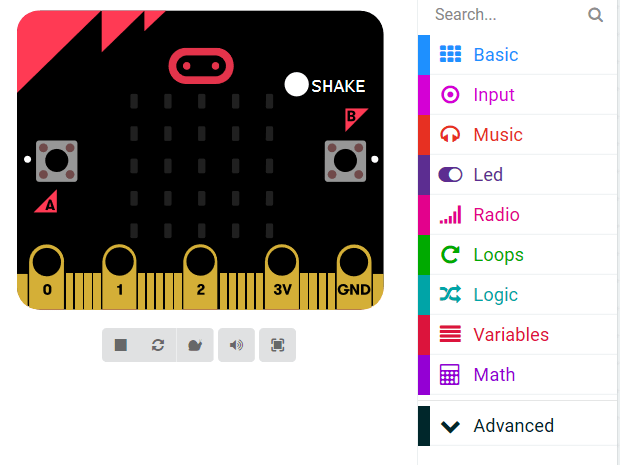
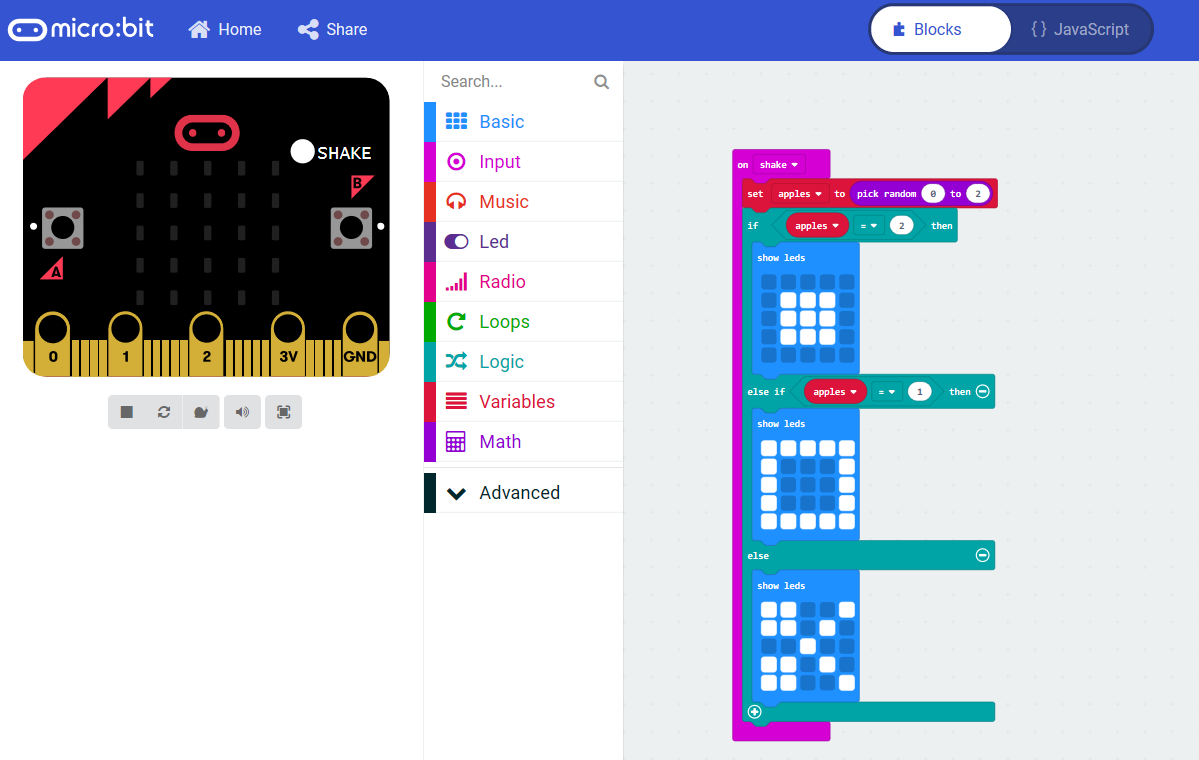
The Micro:bit is well known for its simple platform structure and ease of use, making it extremely attractive to both students and teachers. (Schmidt, 2016).  This technology eliminates the hurdle that coding is to hard with its simple, colourful and accessible structure. (Andrews, 2016).  However, despite its simplicity it is powerful enough to allow students to create a number of creative applications. (Schmidt, 2016).  Different creations include bag alarms, stress level indicators, burglar alarms and even simple games.  For example, in class this week we learnt how to code and instruct the micro:bit to play the famous game ‘scissor, paper, rock’. 

Wing (2006) states that computational thinking “involves solving problems, designing systems and understanding human behaviour by drawing on concepts fundamental to computer science.”  With this in mind,  the micro:bit does assist in the development of creative and computation thinking as students are using these technologies to create products they haven’t considered before.  However, the technology doesn’t allow widespread opportunities for students to create and design their own unique concepts and ideas.  The micro:bit simply creates a path to direct and develop students’ skills to competently apply their understanding and knowledge of the technology’s functions to other avenues. (Kafai, 2016).  This ultimately means that the program builds students’ skills to apply their prior knowledge of coding, technology and computational thinking to design and create unique ideas through more complex technological opportunities.  

References:

Andrews, C. (2016). BBC micro:bit – a little bit too late? [IT education]. Engineering & Technology11(4), 30-33.

Kafai, Y. (2016). From Computational Thinking to Computational Participation in K–12 Education. Association For Computing Machinery. Communications Of The ACM59(8), 26-27.

Schmidt, A. (2016). Increasing Computer Literacy with the BBC micro:bit. IEEE Pervasive Computing15(2), 5-7.

Wing, J. M. (2006). Computational thinking. Communications of the ACM, 49(3), 33-35.

SketchUp and 3D Printing

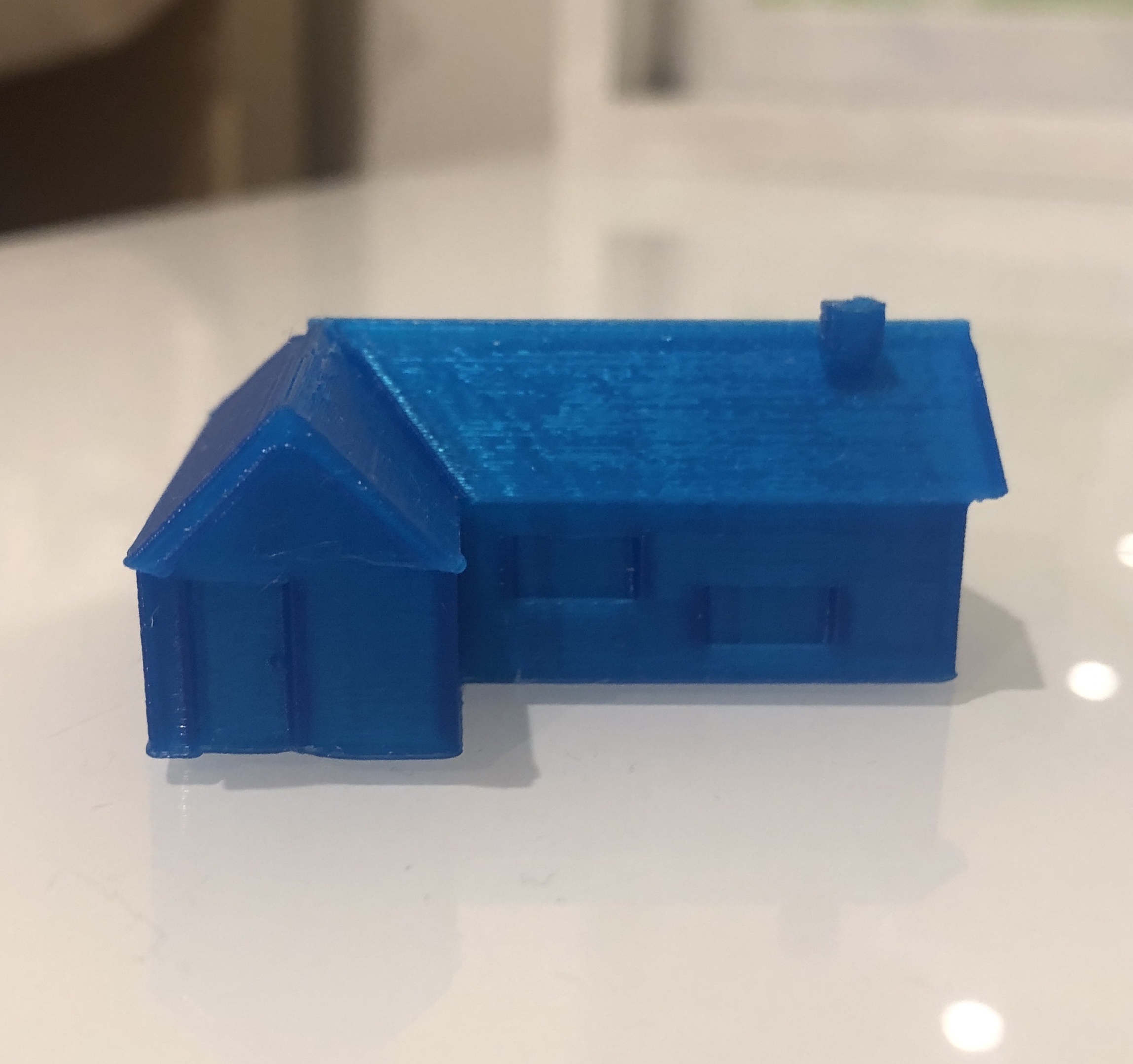
This week in tutorials we explored the wonders of 3D printing.  We had a chance to step into the shoes of students and learn how to navigate our way through the program SketchUp and watch our ideas come to life! Now don’t get me wrong, it was hard! But completely do-able with a bit of practice!  Having spent a small amount of time exploring the program in class and at home I am confident that I would be capable of creating some awesome tasks for my students to create and design 3D objects.  Above is an image of my design on SketchUp and below if the 3D version which was kindly printed out by my tutor, David.

Berry et al (2010) suggests that 3D printing and design facilitates learning, advances skills, improves motivation and engagement, inspires creativity and develops interest in STEM subjects and possible future career options.  Ultimately a teacher will foster the highest potential for creativity when developing a project-based task.  Here students engage in problem solving, by completing the entire design cycle beginning with creation and concluding with a physical model. (Ford & Minshall, 2019).  3D design allows for self-directed construction, experimentation and opportunities for student reflection and observation. (Eisenberg, 2013).  Published research provides countless examples of 3D printing class projects including prosthetic hand designs, bridge structures, desk lamps and many more. (Ford & Minshall, 2019). 

I have chosen some additional examples that I believe have the highest potential to foster creativity.  My first example is creating a musical instrument.  (Ford & Minshall, 2019).  This task could be presented to students from a range of ages and abilities.  Depending on the criteria provided, students could work individually or collaboratively to design a unique instrument with a number of qualities.  If I were the teacher I would ask students to design a new instrument that has at least 2 sound functions.  Another project could involve students designing and planning the characteristics of a city.  This city would be set in the future and students can design it however they like, as long as they can provide reasoning to support their design.

References

Berry, R., Bull, G., Browning, C., Thomas, C., Starkweather, G., & Aylor, J. (2010). Use of Digital Fabrication to Incorporate Engineering Design Principles in Elementary Mathematics Education. Contemporary Issues In Technology And Teacher Education, 10(2).

Eisenberg, M. (2013). 3D printing for children: What to build next?. International Journal Of Child-Computer Interaction, 1(1), 7-13.

Ford, S., & Minshall, T. (2019). Invited review article: Where and how 3D printing is used in teaching and education. Additive Manufacturing, 25, 131-150.

ROBOTICS INSPIRING CREATIVITY IN THE CLASSROOM

Meet the Ozobot

The Ozobot is a pocket-sized robot that comes in two model designs, Bit and Evo.  These robots can be programmed to follow lines either drawn by coloured markers or created digitally on iPads and computers. (Green, Wagner & Green, 2018). Ultimately the colours send coded information to the bots that determines their speed, direction and movement.

What does this mean for education?

The Australian K-12 syllabus requires educators to provide a platform that prepares students with skills and confidence in using ‘computational thinking and creativity to understand the world.’ (Computing at School, 2013). In today’s modern day, providing opportunities for investigation and creation inside the classroom is vital for preparing young people with skills for the future.  By introducing resources such as the Ozobot students become familiar with programming, coding and the wide availability of technology accessible.

How can Ozobot’s be used within the classroom?

As students become familiar with the Ozobot’s teachers can allow students to progress from guided to independent work and therefore set tasks that explore cross-curricular areas through open ended and creative investigations. This is where the creativity begins! Students can use the Ozobot’s to devise and answer problems, to explore direction, code a story and so much more.

Kyle Kitchen – EdTech and Makerspace Specialist said:

“It doesn’t matter if you’re beginning your coding journey or have been coding for years, the amount of problem solving, creativity and engagement that my students and myself have when coding with Ozobot is phenomenal.”

(Educational Programming Robots | Ozobot Edu)

Teachers have successfully created countless games, competitions and activities that allow students their own creative freedom to devise a plan and or answer to an open-ended task.  One of the many advantages of the Ozobot is that as students code and organise their ideas they can then watch their programming come to life and decide if their coding was successful or not. (Highfield, 2010).  Ultimately encouraging reflection through rich mathematical computation and engagement.

Although Ozobots have great potential for fostering creativity, the programs biggest weakness is how teachers choose to use them.  Creativity depends on the teacher’s willingness to create tasks that are open-ended and allow students their own freedoms in the design process.  So yes, Ozobots have countless opportunities to promote creativity in the classroom, however teachers must provide appropriate opportunities for students to demonstrate their unique and creative ideas.


References

Computing at School (2013). Computing in the National Curriculum – A guide for Primary teachers. Available at: http://www.computingatschool.org.uk/data/uploads/CASPrimaryComputing.pdf

Educational Programming Robots | Ozobot Edu. Retrieved from https://ozobot.com/stem-education

Green, T., Wagner, R., & Green, J. (2018). A Look at Robots and Programmable Devices for the K-12 Classroom. Techtrends62(4), 414-422.

Highfield, K. (2010). Robotic toys as a catalyst for mathematical problem solving: Kate Highfield describes a series of tasks in which robotic toys are used to develop young children’s mathematical and metacognitive skills. Australian Primary Mathematics Classroom, Summer15(2), 22.